
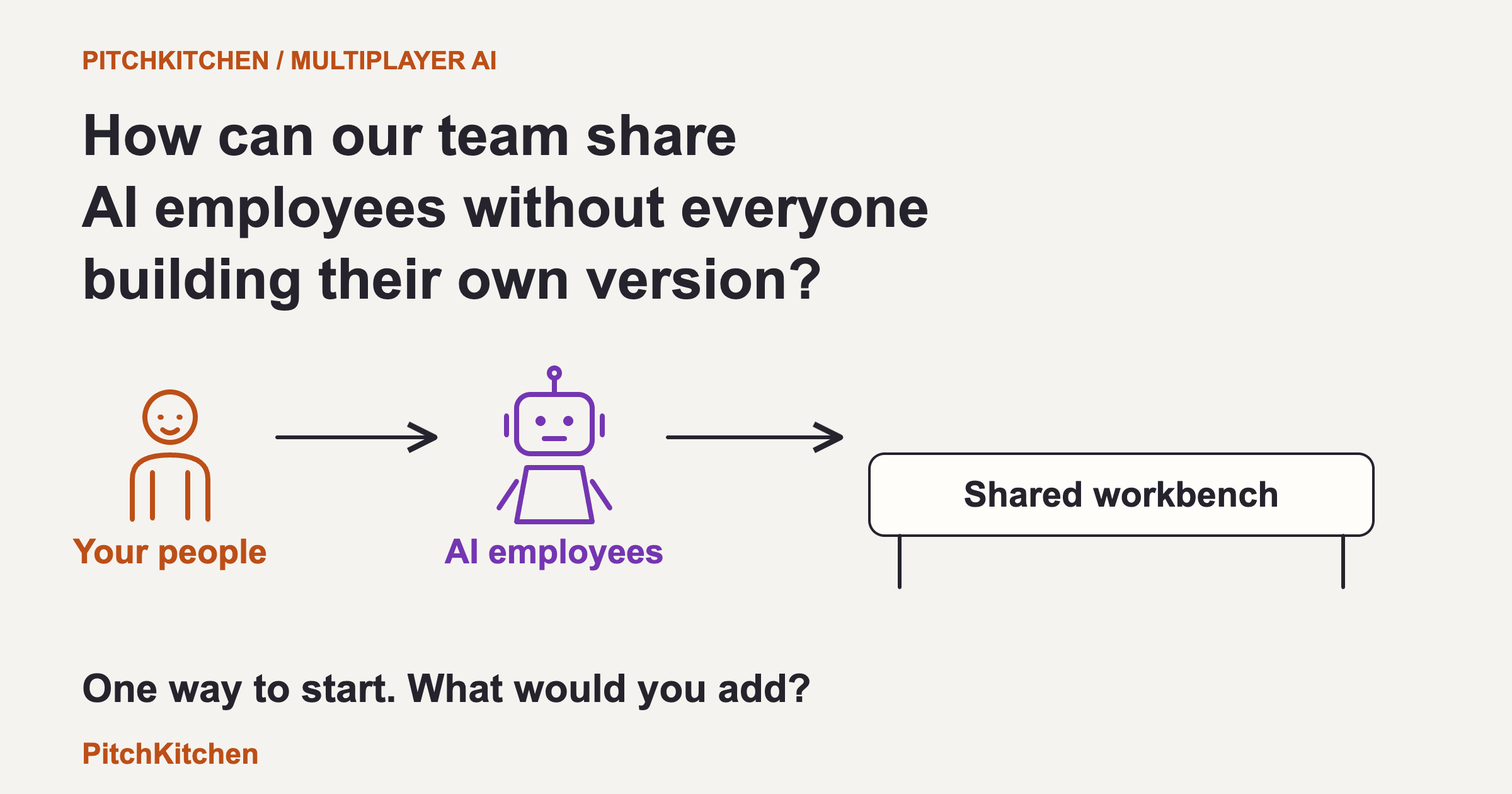
How can our team share AI employees without everyone building their own version?

By Greg Rosner
Founder of PitchKitchen · Author of StoryCraft for Disruptors
· 7 min read
TL;DR
Give people and AI employees one maintained home for shared knowledge. Give every AI employee a defined job and a named human manager. Track each assignment separately, with a human owner and a clear next step. Save useful lessons after someone approves where they apply. Keep individual logins and protect private files.
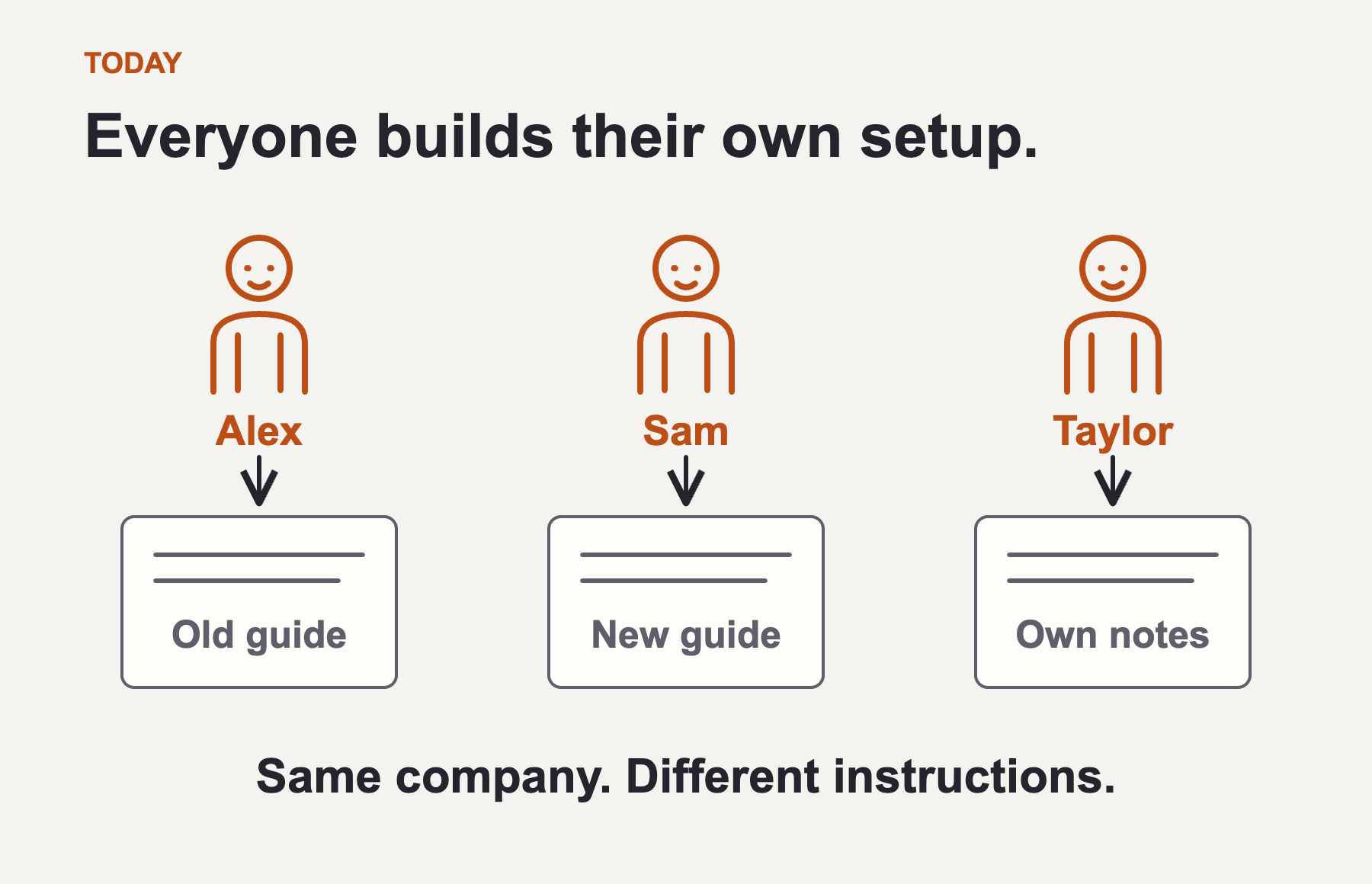
Everyone builds their own little AI operation.
Give everyone access to AI and people start finding useful things to do. Someone builds a proposal writer. Someone else creates a research assistant. Finance sets up an invoice helper. Sales builds a prospecting agent.
Then the duplicates appear. Three proposal writers use three versions of the offer. A prospecting agent repeats work someone already did. An invoice uses payment terms that changed last month. Useful corrections stay buried in individual chats.
Personal experimentation is valuable. The missing piece is a way to turn what works into something the whole team can use and maintain.
Here's the model I'd recommend testing: a shared roster of AI employees, each with a real job, a human manager, and a clear way to pass work forward. The example below is illustrative, not a client case study.
1. Give the team a shared workbench.
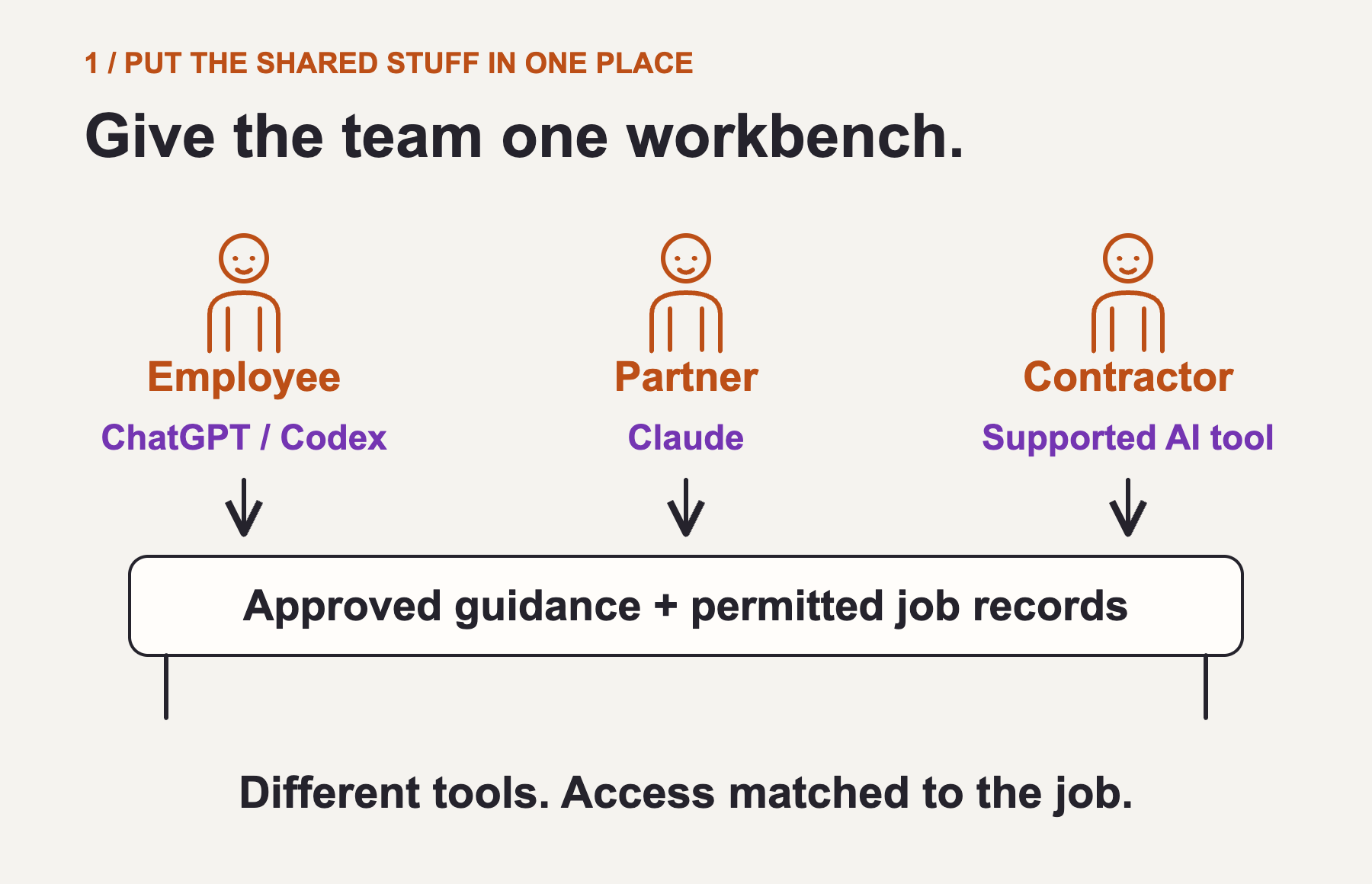
Your team may include employees, partners, and independent contractors. Some use ChatGPT or Codex. Others use Claude. This model does not require everyone to use the same AI provider. It requires a shared source of approved instructions and a clear record of the work.
Start each new employee, partner, or contractor with an introduction to the AI team. They should be able to ask their connected assistant: 'I manage customer projects. Introduce me to the AI employees I can work with, explain what they do, and help me get connected.'
The assistant reads the current role directory and introduces the relevant AI employees: their jobs, human managers, what information they need, examples of useful requests, and when they ask for approval. The newcomer tries a small task and learns where to find the result or get help.
Then choose how to work together. Which approved agents belong in a project Slack channel? Which have an email address? Which are reached through the AI tool itself? Onboarding sets up supported connections or routes access requests to the right person. It never grants access just because someone asks. A channel's membership matters too: everyone in it may see what an agent posts.
Your AI Brand Twin supplies the brand foundation: who you help, what you offer, what you can claim, and how you explain it. Other roles need other sources. Invoicing needs accepted agreements and payment terms. Prospecting needs your ideal-customer criteria and contact history. Research needs a question and standards for evidence.
Give each person their own access, limited to their role and assignment. A contractor helping with one proposal can receive that brief and the approved offer without seeing other customers or payroll. When the assignment ends, remove their access. The connected system must enforce these boundaries, whichever AI tool they use.
2. Give each AI employee a job and a manager.
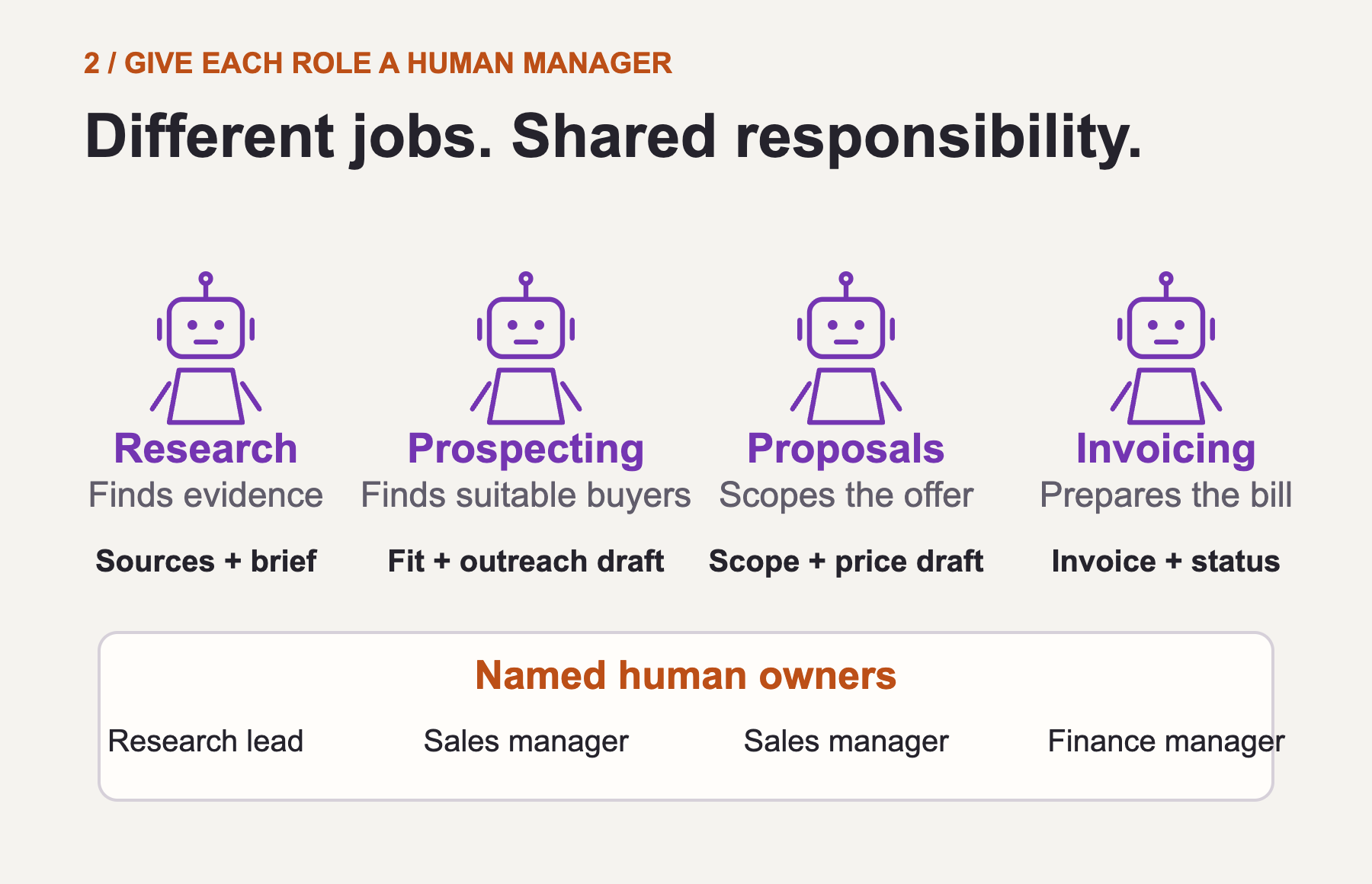
A research agent answers a defined question, checks sources, and produces a brief with evidence and uncertainties. A research lead owns its standards.
A prospecting agent finds companies that fit, checks existing contact history, explains why each belongs on the list, and drafts outreach. A sales manager owns its targeting rules and contact permissions.
A proposal agent turns discovery notes and approved offers into scope, deliverables, pricing, and assumptions. The sales manager owns its commercial rules. The person responsible for the deal approves the proposal.
An invoicing agent prepares invoices from accepted terms, tracks their status, and flags exceptions. A finance manager owns its billing rules and approvals. It cannot invent a price or change bank details because someone asks in a chat.
More roles can follow: customer onboarding, reporting, support, hiring, and project coordination. The useful unit is a defined job with a clear output. Some jobs need an agent that takes several steps; others only need a reusable skill or a fixed workflow.
Each shared role needs a named human manager, permitted tools and data, examples of good work, and a clear point at which it stops and asks. One manager can own several related roles. Using a role and changing its instructions are separate permissions.
3. Connect the jobs, not just the chat windows.
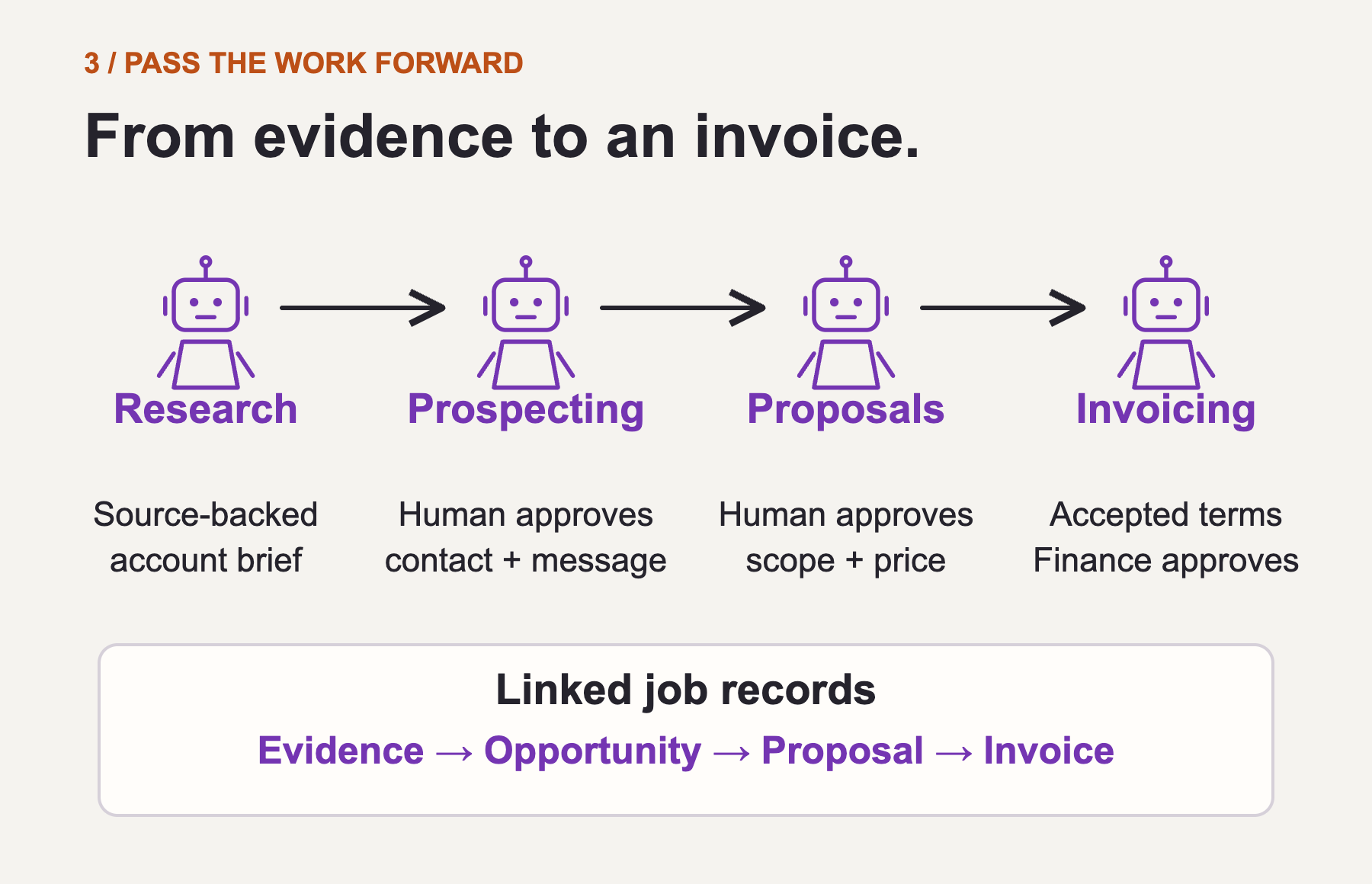
Imagine Alex is developing a new customer relationship. The research agent produces a sourced account brief. The prospecting agent uses it to assess fit and prepare a message. Alex approves the contact and outreach before anything is sent.
If the conversation becomes a qualified opportunity, the proposal agent uses the discovery notes and approved offer to draft a proposal. Alex checks scope and price. Once the customer accepts the terms, the invoicing agent can prepare the appropriate invoice for finance to approve.
Those are handoffs with conditions. Finding a prospect is not permission to contact them. Drafting a proposal is not evidence of acceptance. Acceptance is not permission to bill a different amount.
Keep linked records for the work: the brief, opportunity, proposal, and invoice. Each records its inputs, output, status, responsible human, and next step. An authorized teammate should be able to continue without reconstructing somebody else's chat.
Two people can use the same approved proposal role for different customers, even through different AI tools. They share the job description and approved guidance; each customer's work stays in its own permitted record. Different models may produce different results, so test the role in each supported tool.
4. Let the next job benefit from what you learn.
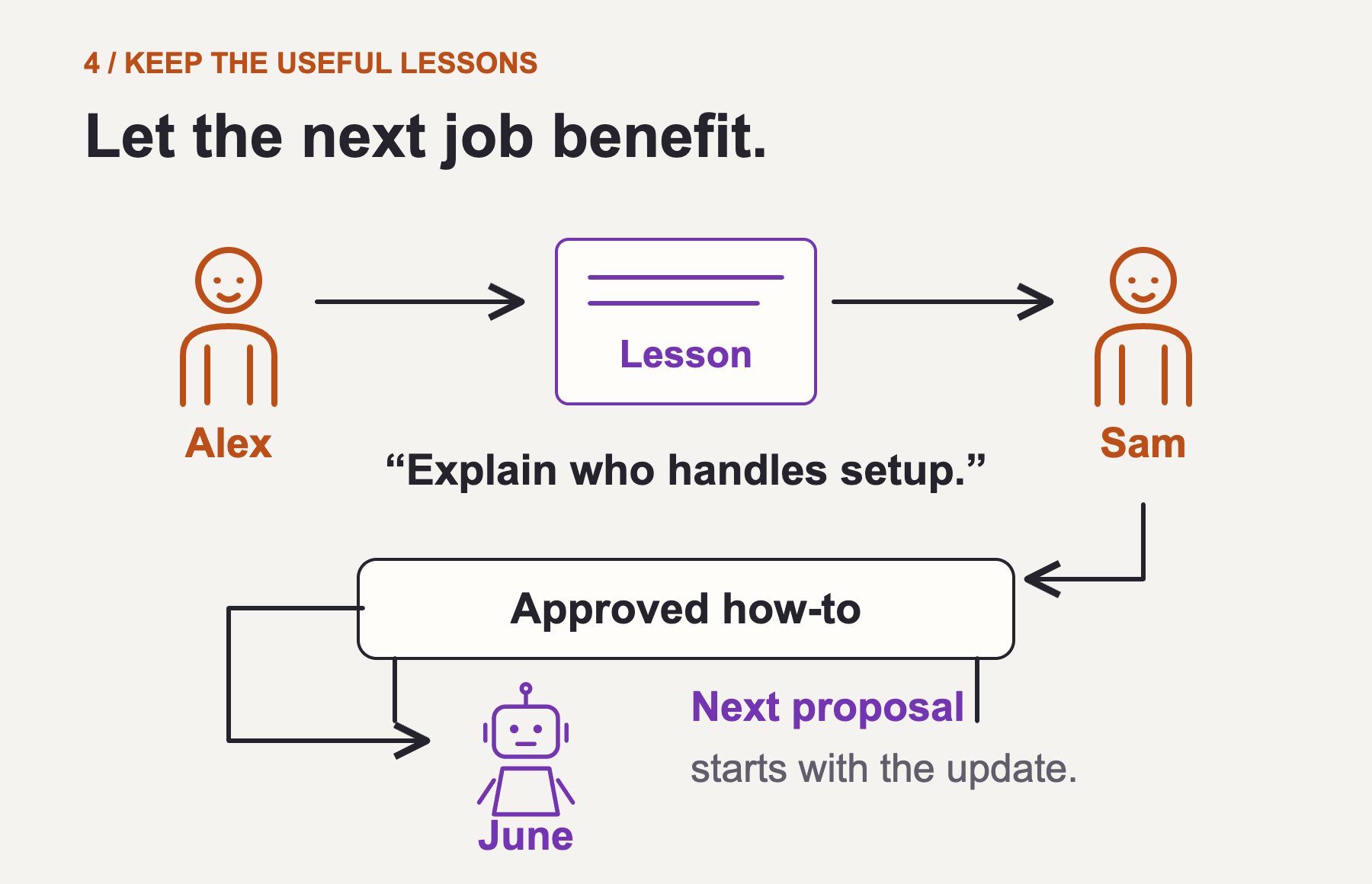
Suppose Alex tells June, the proposal agent: 'Explain who handles setup before we show the price.' June fixes the current draft and proposes an improvement to her shared instructions.
Sam, her manager, checks where the lesson belongs. Is it specific to this customer, a kind of engagement, or every proposal? He tests the change on representative examples and publishes an approved version. The next relevant job uses that version.
The same loop applies elsewhere. Finance corrects a billing rule. Sales refines what counts as a suitable prospect. Research learns which source needs checking. Changes go to the owner of the relevant guidance, with a previous version available to restore.
Anyone can experiment and suggest improvements. Designated owners approve changes that affect everybody. The improvement lives in maintained instructions and workflows; it does not require the underlying AI model to retrain itself.
How are you putting this together?
Keep the introductions current as roles, managers, and assignments change. When someone joins a new project, show them the relevant people, AI roles, and resources. If your company eventually has 200 useful AI roles, people should not have to memorize 200 names. Give them a searchable directory or a clear place to ask for help. Select the relevant roles for each job. Keep the catalog organized, merge duplicates, and retire roles nobody uses.
Research supports parts of this approach, but no study establishes it as the best setup for every company under 100 people. Start with a few recurring workflows. Compare quality, correction time, cost per finished job, and manager workload against your current approach. Expand when the results justify it.
How are you setting up multiplayer AI in your team? Who manages the agents? How does work move between people? How do useful lessons reach the next job? Share what works and where it breaks. I'd like us to improve the recipe together.
Research behind the recipe
Cognizant describes growing from three agents to more than 200 capabilities behind one interface, with departmental routing. That is a large-enterprise precedent, not proof of small-company economics. Read the deployment account.
Salesforce reports creating over 200 agents and then consolidating to roughly half that number. Agent count alone is a poor measure of progress. Read Salesforce's account.
Controlled research finds that the benefits of multiple agents depend on the task. Additional coordination can help or hurt performance. Towards a Science of Scaling Agent Systems.
Human ownership and separate editing permissions appear in real platform controls. Microsoft Agent Registry and ChatGPT workspace agents.
Ethan Mollick's Leadership, Lab, and Crowd framework supports employee experimentation alongside testing and sharing useful practices. Read his framework.
Questions People Ask
FAQ
How does someone meet the AI team?
Maintain a role directory with each AI employee's purpose, human manager, permitted users, example requests, required inputs, and supported contact methods. A connected assistant can use that directory to guide an introduction. Configure this behavior in each supported tool. Access requests, Slack installations, and mailbox connections require the appropriate integrations and authorization. Review access when assignments change, and remove it when people leave.
Who sets the company-wide rules?
Name someone to oversee the AI roster. Keep a list of AI employees, their human managers, and the tools and data each may use. Managers work within company rules for access, spending, and external actions. Use system permissions to separate using an agent from editing its shared instructions or changing its access. Everyone can suggest improvements; approved editors make shared changes.
What connects the AI to the workbench?
MCP can let supported AI tools read shared files and save job updates. Someone still needs to set up the storage, permissions, and approval process. Keep those rules outside the prompt. [MCP tools](https://modelcontextprotocol.io/specification/2025-11-25/server/tools).
Can we use both Claude and OpenAI?
Yes, if each supported tool is connected to the approved information and job records, with individual authentication and enforced permissions. A role can share instructions across providers; its live conversation and memory do not automatically transfer. Test outputs and handoffs in each tool. Native agents tied to one vendor may need an adapter or a separate implementation. [Codex MCP](https://learn.chatgpt.com/docs/extend/mcp?surface=cli), [Claude Code memory](https://code.claude.com/docs/en/sub-agents#enable-persistent-memory).
Do the AI employees need email accounts?
Only if their job needs an inbox or correspondence identity. Use scoped service accounts for background access where required. People keep individual logins.
Does the AI learn by itself?
A saved correction can improve the guidance used for the next job. It doesn't automatically retrain the underlying model. Review what becomes shared guidance, and keep a previous version you can restore.
Is there a ready-made option?
A single-platform company can evaluate native shared agents, including ChatGPT workspace agents. Our broader model also includes partners and contractors using different tools. That requires a shared store with compatible connections; one vendor's workspace alone does not provide the entire cross-provider workflow. [Workspace agents](https://openai.com/index/introducing-workspace-agents-in-chatgpt/).